• Startseite
  • E-mail
  • Geschäft
  • Files
  • Foto
  • Advertising
  • Mehr
    • E-mail
    • Geschäft
    • Files
    • Foto
    • Dating
    • Calendar
    • Games
    • Kontakte
    • Inx
    • Nachrichten
    •  
    •  

    Premium holen
Deutsch
  • English
  • Latviešu
  • Русский
  • Lietuvių
  • Eesti
  • Español
  • Français
Anmelden Einloggen
  1. Startseite
  2. Apple application

%MESSAGE%
How to exit ios application

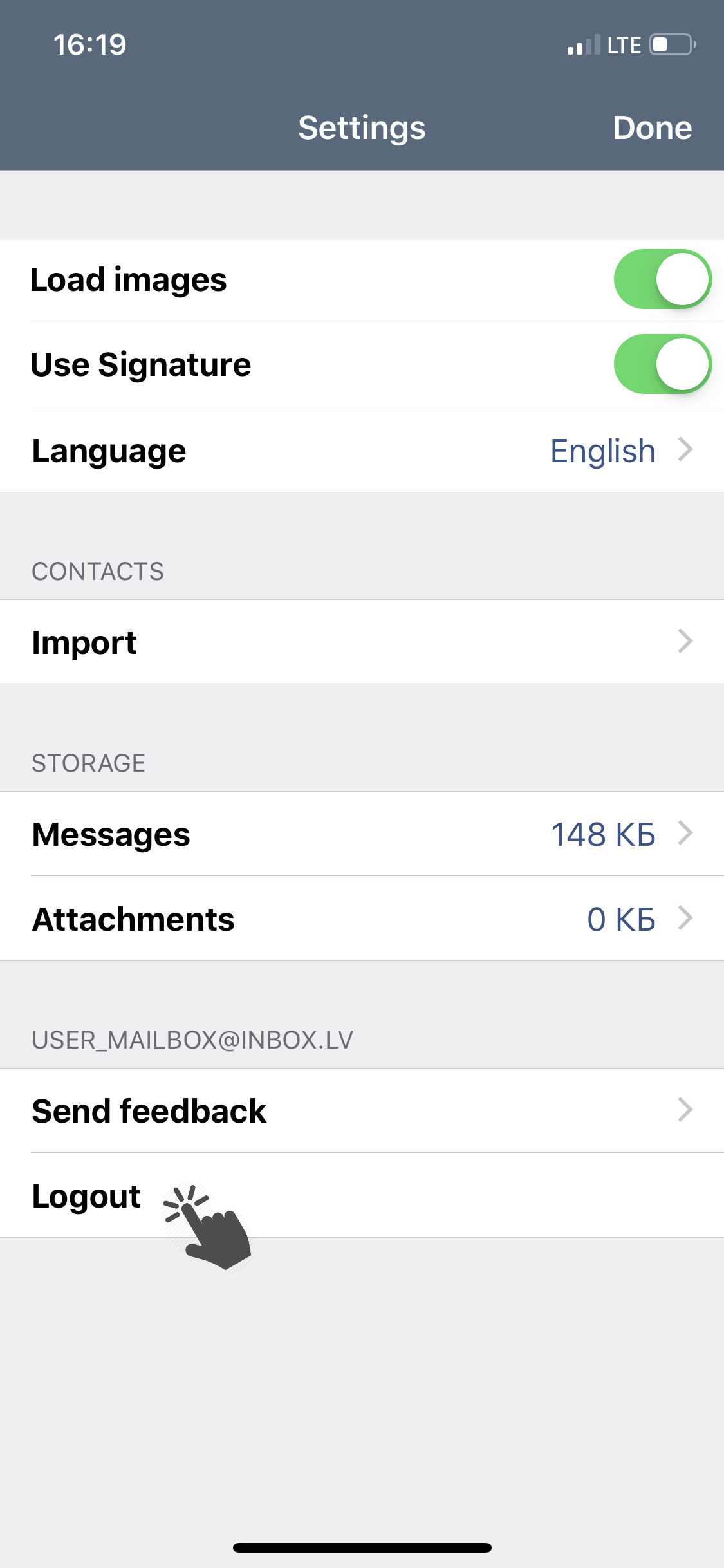
To logout from the application:

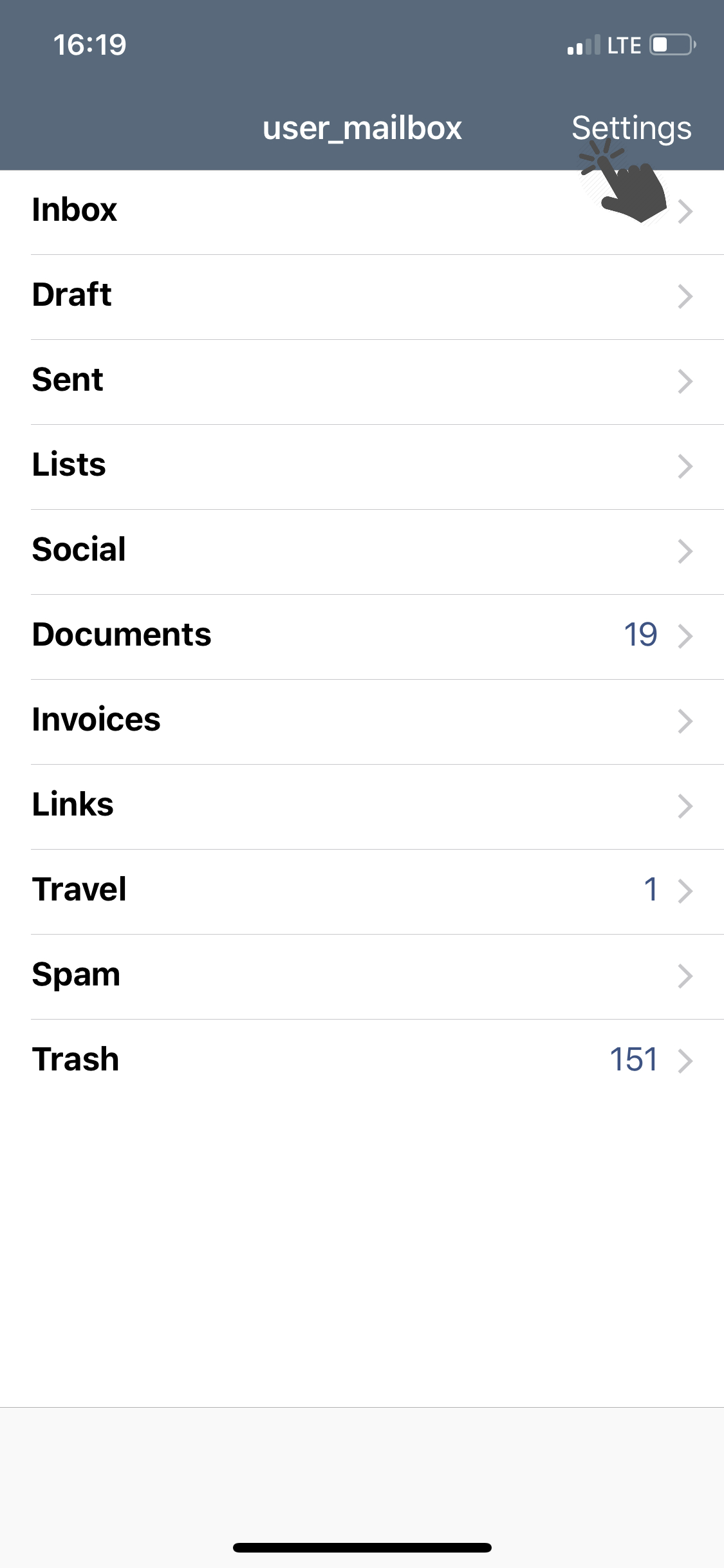
  • Go to the app settings (above the list of all folders, press Settings);
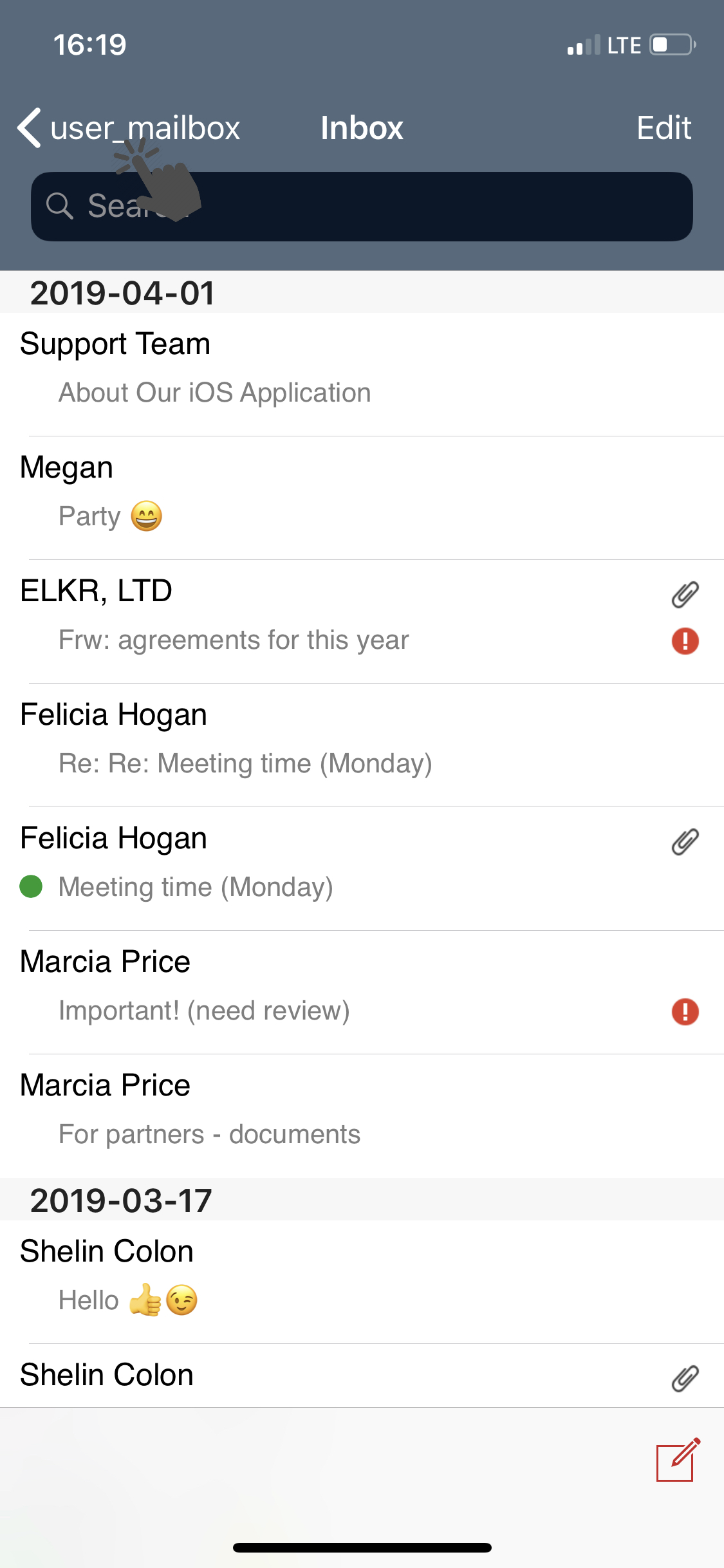
 

881a152a03dcc3780a83b9b92e1b64-1683542488-base.png     ea5c10c71c320bea217bf7097e4243-1683542502-base.png


  • Tap Logout.


191f0c500963675c9a4ad4ef0d560f-1683542502-base.png


Falls Sie die Antwort nicht gefunden haben, kontaktieren Sie uns
Fragen

How to change the application language
How to open application settings
Notifications about new messages (how to disable/enable)
How to update application
How to exit iOS application
How to clear cache
Synchronize and import contacts
Problem opening inbox.lv IOS application
Anmelden Einloggen

  • Inbox.lv
  • E-mail
  • Geschäft
  • Files
  • Foto
  • Dating
  • Calendar
  • Games
  • Kontakte
  • Inx
  • Amigos
  • Nachrichten
  •  
  •  

  • About Us
  • Contacts
  • Unterstützung
  • Advertising
  • Inbox.lv merchandise
  • Privacy
  • Terms of Service

Laden Sie die Apps herunter