

Sign in with your Google account
If you already have an Inbox.lv account, you can sign in not only with your email address and password, but also with your Google account.
You cannot create a new Inbox.lv account with a Google account. This option is only for existing Inbox.lv users.
How to sign in with Google
1. Open www.inbox.lv and click Log in:
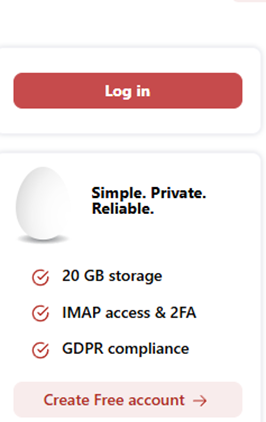
2. The sign-in window opens:
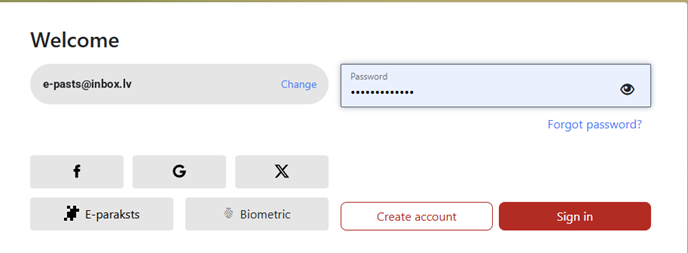
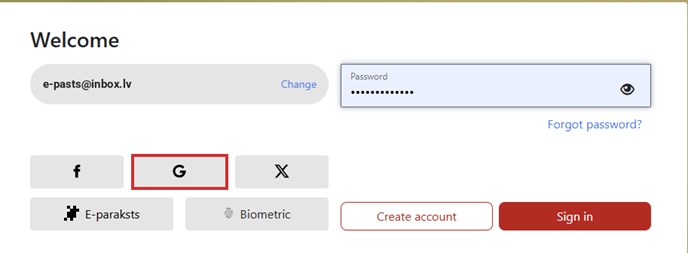
3. Below the sign-in form, click the button with the Google letter G (“Sign in with Google”):
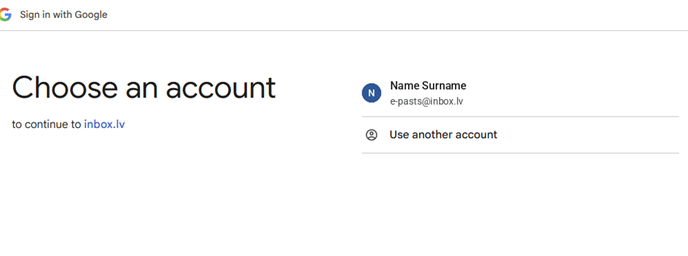
4. A Google page opens. Choose your Google account, or click Use another account and enter your Google account details:
5. Google shows that you are signing in to inbox.lv and invites you to review the Inbox.lv privacy policy and terms of service. Click Continue:
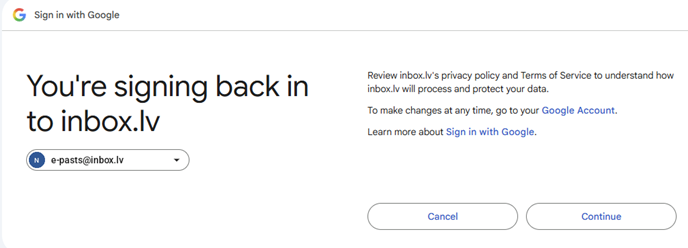
6. You are redirected back to Inbox.lv and your mailbox opens.
How to remove Google access
You can remove Inbox.lv’s access to your Google account at any time:
1. Open your Google account settings: myaccount.google.com/connections
2. Find inbox.lv in the list.
3. Open it and choose to remove the connection.
After that, you can still sign in to Inbox.lv with your email address and password.
When you sign in with Google, Inbox.lv receives only your name, profile picture and email address. Inbox.lv never sees your Google password. More: Privacy Policy and Terms of Service.
Si vous n'avez pas trouvé votre réponse, contactez-nous